
Stickytray vs Apple Stickies
Last checked
Side by side
| Stickytray | Apple Stickies | |
|---|---|---|
| Price | $9.99 once | Free, built in |
| Floats above other windows | Always | With Window › Float on Top |
| Stays above full-screen apps | Yes | No |
| On every Space | Yes | If you assign it to All Desktops in the Dock |
| New note from any app | ⌃⌥N, at the pointer | No |
| Hide all notes from any app | ⌃⌥H | No |
| Hidden from screen sharing | In most apps | No |
| Checklists | Synced with Reminders | No |
| Sync between Macs | Through your iCloud | No |
| Lives in | The menu bar | The Dock |
| Requires | macOS 14 or later | Any macOS |
Full-screen apps
When an app goes full screen, macOS gives it its own Space. Stickies' floating windows stay behind on the desktop, so your notes disappear exactly when you're most focused. Stickytray's notes join every Space, including full-screen ones.
Screen sharing
Stickies windows are ordinary windows: if you share your whole screen, people see them. Stickytray marks every note “do not share”, so notes are hidden from screen sharing in most apps, and never appear when you share a single window. A built-in Privacy Check tests your Mac, and ⌃⌥H hides everything when you need to be certain. How it works.
Checklists and sync
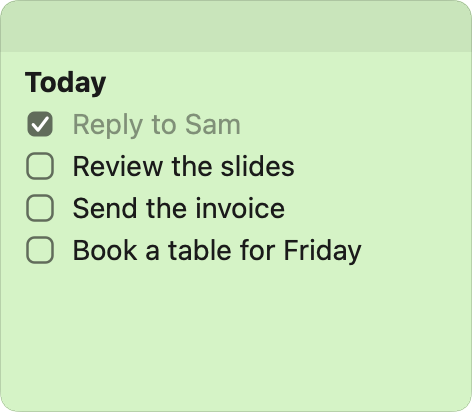
Stickies has text and formatting but no checkboxes, and its notes stay on one Mac. Stickytray has checklists that sync both ways with Reminders, so they also reach your iPhone, and notes sync between Macs through your own iCloud.
Questions
Is Apple's Stickies app still on the Mac?
Yes. Stickies is in the Applications folder of every Mac and is free.
Can Stickies stay on top of full-screen apps?
No. Window › Float on Top keeps a sticky above ordinary windows, but a full-screen app gets its own Space and the sticky stays behind on the desktop.
Does Stickies sync between Macs?
No. Stickies keeps its notes on one Mac. Stickytray syncs notes between Macs through your own iCloud.
How do I move my notes from Stickies to Stickytray?
Copy the text of a sticky and paste it into a Stickytray note with ⇧⌘V to keep bold, italic and lists.